PEOPLE & OPERATIONS
Employee Offboarding Software for UK Employers
Employee offboarding is everything that needs to happen when someone leaves your organisation. It is not just their final payslip. You may need to confirm dates, organise a handover, collect company equipment, remove system and building access, update records, and make sure HR, managers, IT and Finance/Payroll are working to the same plan.
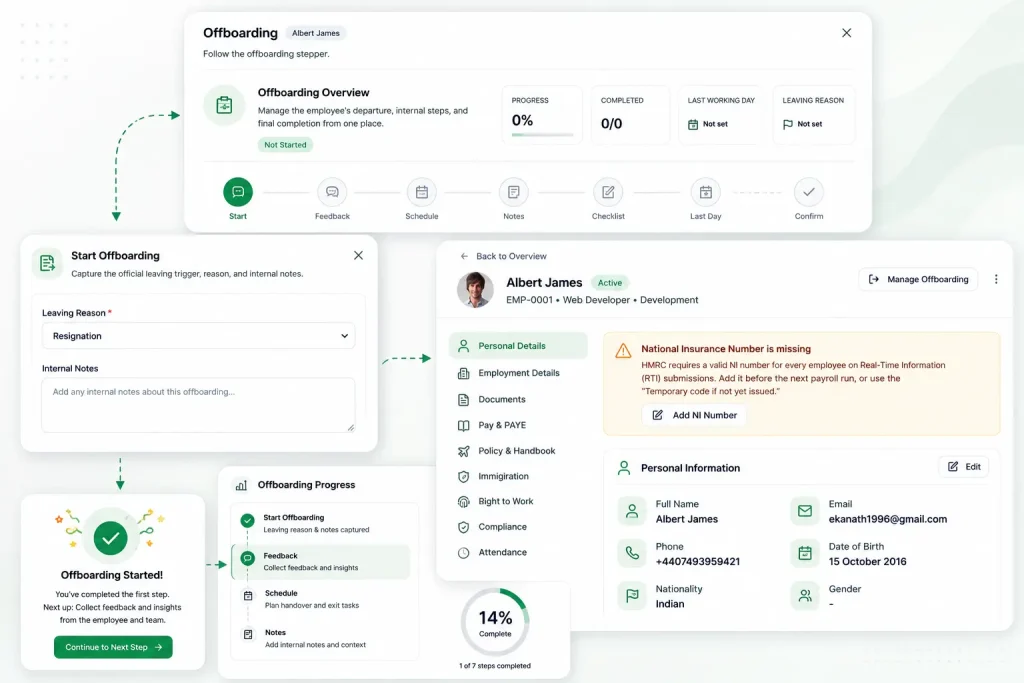
Root HR helps you manage the employee offboarding process in one place, with clear checklists, assigned tasks, due dates and reminders, plus a record of what has been completed.
What is employee offboarding?
Employee offboarding is the practical process an organisation follows when an employee leaves-whether they resign, retire, are dismissed, are made redundant, or reach the end of a fixed-term employment arrangement.
In plain English, it is the work that closes things down properly: handing work over, returning company property, removing access to systems, and making sure pay and records are correct.
Offboarding normally involves:
confirming the leaving date
notifying the relevant teams
assigning responsibilities and deadlines
collecting company property
removing system and building access
completing final pay steps
checking unused holiday (where applicable)
conducting an exit interview (where appropriate)
updating employee records
securely retaining or archiving records
Why employee offboarding matters
When offboarding is rushed or inconsistent, small tasks get missed. Those gaps often show up later as admin problems, access risks, payroll errors, or time spent trying to reconstruct what happened.
A clear employee exit process helps reduce risks such as:
System access being left active (email, shared drives, HR systems, cloud tools)
Company devices not being returned, or returns not being recorded properly
Confidential information remaining accessible through accounts and permissions
HR tasks being missed because ownership is unclear
Payroll errors caused by late or incomplete information
Incomplete employee records that are hard to rely on later
Poor communication between HR, managers, IT and Finance/Payroll
Inconsistent processes across teams or sites
Unnecessary admin chasing updates across emails and spreadsheets
Data protection concerns where access and documents are not controlled
The employee offboarding process: step by step
1) Confirm the employee is leaving
Once the employee has confirmed they are leaving, record the key information and identify who will run the process (often HR, sometimes the manager with HR oversight).
2) Record the leaving date and reason (where appropriate)
Capture the last working day and any details your organisation records for reporting or internal processes. Keep this consistent and handle sensitive information carefully.
3) Notify the people responsible
Employee offboarding usually involves several teams. The earlier HR, the manager, IT and Finance/Payroll know what is happening, the easier it is to complete steps on time.
4) Create and assign the offboarding checklist
Use an employee offboarding checklist with named owners, due dates and the right approvals. A checklist turns “someone should do this” into “this is owned and tracked”.
5) Collect company property and assets
List what needs to be returned (for example: laptop, phone, keys, passes, headsets, uniforms) and record when each item is received. For remote workers, include postage or courier steps.
6) Remove system, email and physical access
Plan when access should be removed and who confirms it. This can include email, shared drives, HR systems, cloud applications and building access, depending on role and policy.
7) Complete final payroll information
Make sure Finance/Payroll has the right dates and information in time for the final payroll run, especially if the leaving date is mid-month or there are adjustments to make.
8) Check outstanding holiday, expenses or other payments
Confirm accrued holiday entitlement, any holiday already taken, and outstanding expenses. Flag anything that needs approval so it does not delay final pay.
9) Conduct an exit interview (if appropriate)
If your organisation uses exit interviews, agree who runs them and how feedback is captured. Keep it respectful and focused on learning.
10) Update and securely retain employee records
Update the employee record with final dates and store key documents where authorised people can access them. Retain records in line with your organisation’s retention approach and current UK guidance where relevant.
11) Complete the final review and close the offboarding process
Before closing, confirm critical steps are complete-especially access removal, asset returns and final pay information. Closing the process gives you a clear record of what was done and when.
A DAY IN THE FLOW
What should an employee offboarding checklist include?
A good checklist is practical. It should be clear who does what, and by when. Below is a useful structure you can adapt to your organisation.
HR
Confirm leaving date and notice period, Update employee record details and status, Store resignation, redundancy, dismissal or end-of-contract documentation, Arrange exit interview (where used) and record outcome, Complete outstanding HR tasks (benefits, policies, documentation)
IT
Email account actions (for example: disable, archive, forwarding arrangements where appropriate), Remove software and system access, Remove permissions (shared drives, folders, admin rights), Collect and process devices (laptop, phone, security tokens), Remove physical security access where applicable
Finance / Payroll
Confirm final salary dates and payroll notification, Holiday pay position (entitlement vs taken), Expenses due and approvals, Deductions where applicable (for example: equipment, loans, salary sacrifice), Any final documentation required by your payroll process
Manager
Handover plan and ownership of work in progress, Team and stakeholder communication, Return of day-to-day company property, Final check that key tasks are complete
Records
Store documentation securely, Maintain an audit trail of actions, approvals and dates,Apply retention and secure archiving after the exit is complete
How Root HR simplifies employee offboarding
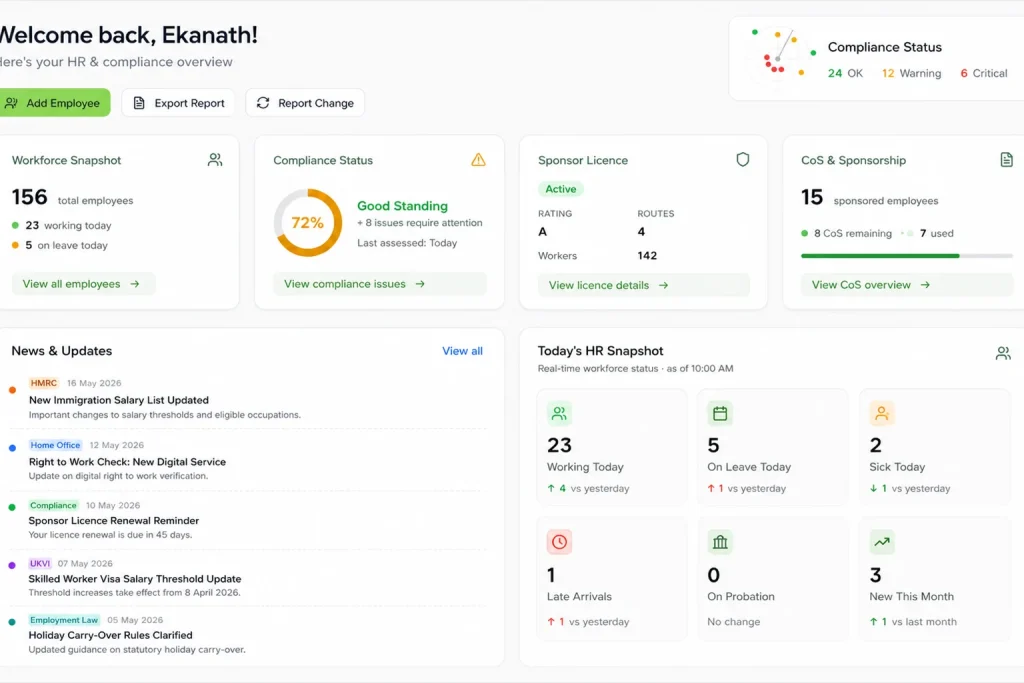
Root HR helps UK employers run a consistent employee offboarding process without relying on separate spreadsheets, email chains and manual reminders.
With Root HR, you can:
Set up offboarding checklists that match your organisation’s process
Assign tasks to HR, managers, IT and Finance/Payroll with clear ownership
Use due dates and reminders so steps are less likely to be missed
Track asset returns and record what has been received
Track access removal workflows and record completion
Capture exit interview responses where your process includes them
Support final pay administration by keeping leaving details accurate and easy to share or export
Keep an audit trail of tasks, updates and approvals
Control access with role-based permissions
Work on desktop and mobile for teams who are not always at a desk
THE WHOLE FLOW
From resignation to final day: how offboarding works in Root HR
Here is a realistic example of how staff offboarding can work in practice.
An employee tells their manager they are leaving. The manager or HR starts the offboarding process in Root HR and records the leaving date.
The offboarding checklist is created. Root HR creates the tasks your organisation requires and assigns them to the right people.
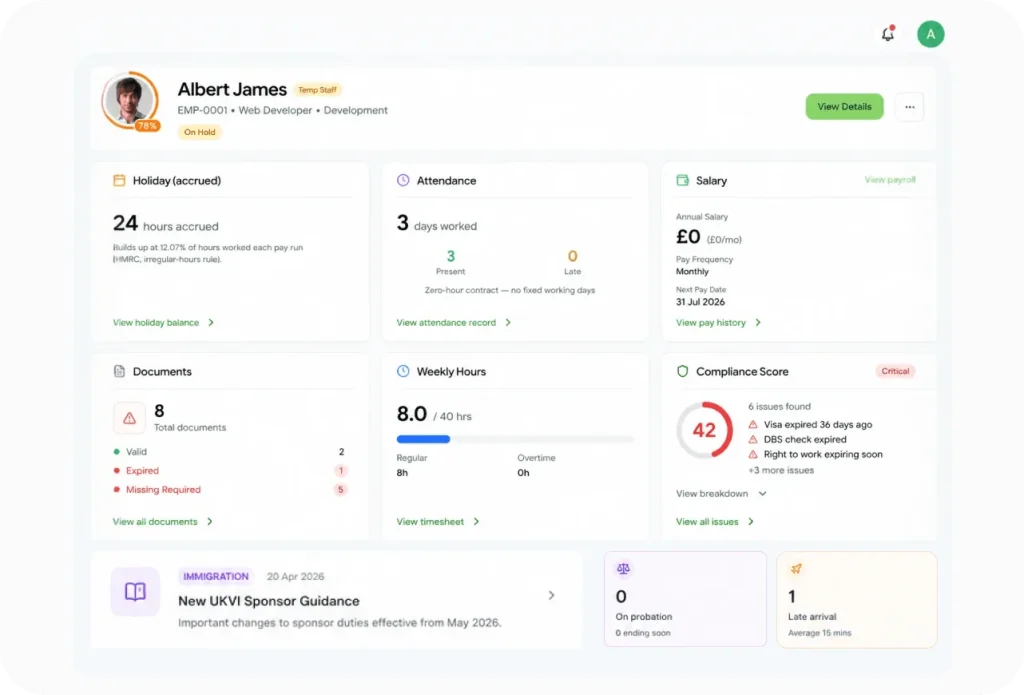
Work is tracked in one place. HR can see progress, overdue tasks and blockers without chasing multiple teams.
Assets are returned and recorded. Items are ticked off as they come back, with a clear record of what is outstanding.
Access removal tasks are completed. IT records completion when accounts and permissions have been removed or updated.
Payroll details are confirmed. HR and Finance/Payroll confirm the information needed for final pay and holiday calculations.
Exit interview feedback is captured (if used). Notes or responses are stored consistently, rather than disappearing into documents or email threads.
The exit is closed. Once key tasks are complete, HR closes the process with a clear record of actions taken.
Employee offboarding software vs spreadsheets and emails
Spreadsheets and email checklists can work when you have few leavers and a small number of people involved. As an organisation grows, it becomes harder to track ownership, keep versions up to date, and show what was done-especially when exits happen across multiple sites or remote teams.
What tends to matter Spreadsheets & emails Root HR
Task ownership Often unclear or assumed Named owners and clearer accountability Reminders Manual chasing Due dates and reminders support follow-up Visibility across teams Updates spread across threads One view of progress for HR and stakeholders Asset tracking Easy to miss changes Asset return tasks and status recorded Access removal tracking Hard to evidence later Tasks can be recorded as completed Audit trail Hard to reconstruct Clear record of actions and approvals Consistency Varies by team or manager Standard process that can be adapted by leaver type
Employee offboarding and data security
Removing access and recovering equipment are two of the most time-sensitive parts of the employee leaving process. The aim is straightforward: make sure your organisation stays in control of accounts, devices and information once the person no longer needs access.
Your checklist may include:
Email access (including shared mailboxes and forwarding arrangements where appropriate)
HR systems and any tools that contain personal data
Cloud applications (project tools, finance platforms, CRM systems)
Shared drives and folders (team and individual permissions)
Physical access (passes, keys, alarm codes where relevant)
Company devices (laptops, phones, tablets, security keys)
Root HR helps by making these steps visible and trackable, which supports a more consistent approach and clearer record keeping.
Employee offboarding for UK employers
UK employers often benefit from a consistent approach to offboarding employees across roles and locations. A clear process also helps when employees work remotely, or when more than one team needs to complete steps before the last working day.
Common practical considerations include:
Final pay and payroll cut-off dates
Holiday entitlement and any adjustments needed
Return of company property, including remote returns
Access removal for systems and physical sites
Employee records and document storage
Data protection and appropriate access controls
Employment documentation and internal approvals
Sponsored workers (where relevant): ensuring your internal steps align with current official guidance
This page is for general information, not legal advice. For up-to-date guidance, check official sources such as GOV.UK, ACAS and the ICO, and take professional advice where appropriate.
Key benefits of Root HR offboarding
One clear process for staff offboarding across the organisation
Fewer missed tasks with ownership, due dates and reminders
Clearer coordination between HR, managers, IT and Finance/Payroll
Better visibility of what is complete and what is outstanding
Safer access management through tracked access removal tasks
Better asset tracking for company equipment and property
Useful records and an audit trail for internal review
WHAT YOU GET
Who uses employee offboarding software?
HR
Keeps the process organised, makes sure required tasks are completed, and maintains accurate records.
Managers
Know what to do, when to do it, and what needs to be handed over.
IT
Can track access removal tasks and company equipment, reducing the chance of accounts being missed.
Finance / Payroll
Receives the information needed for final pay, holiday pay and expenses in time for the payroll cycle.
INTEGRATIONS
Works seamlessly with your stack
Onboarding connects seamlessly with the full Root HR suite and the tools your team already uses.
SSO
IT asset tools
Payroll
HR Core
QUESTIONS
Frequently asked questions
What is employee offboarding?
Employee offboarding is the process an organisation follows when an employee leaves, including handover, access removal, asset returns, final pay steps and record updates.
What is the employee offboarding process?
It commonly includes confirming the leaving date, assigning an offboarding checklist, collecting company property, removing access to systems, completing final payroll information, and updating records.
What should an employee offboarding checklist include?
It should cover HR tasks, IT access removal, asset returns, Finance/Payroll steps, manager handover tasks, and secure record keeping, with clear owners and deadlines.
Why is employee offboarding important?
It reduces missed tasks, improves coordination between teams, helps remove access at the right time, supports accurate final pay admin, and keeps records reliable.
What should HR do when an employee leaves?
HR typically coordinates the process, makes sure key dates and documents are recorded, assigns tasks, and works with IT and Finance/Payroll to complete access and pay-related steps.
When should employee system access be removed?
This depends on your policy and the circumstances. Many organisations plan access removal around the last working day, with IT tasks scheduled and recorded so there is clarity and consistency.
What happens to company equipment when an employee leaves?
Equipment should be listed, collected and recorded as returned. For remote employees, this often includes a postage or courier process and confirmation of receipt.
PEOPLE & OPERATIONS
More in this category
HR Core
Manage staff profiles, roles, employment details and full history in one place.
Onboarding
Onboarding starts the moment a new joiner is added in Root HR.
Tasks & Workflows
Assign tasks, approvals and reminders across teams with clear ownership.
Make employee exits easier to manage
Root HR gives UK employers a structured way to manage employee offboarding-tasks, assets, access and records-without relying on manual checklists and email chains.